What Is CMMS? The Complete Guide for Manufacturing & Facilities Teams (2026)
A broken machine costs more than the repair bill. Every hour a production line sits idle, a manufacturer loses money — often a lot of it. That’s the exact problem CMMS software was built to solve.
If you’ve landed on this page, you’ve probably seen the term thrown around in maintenance job listings, software directories, or a coworker’s conversation, and you want a straight answer: what is CMMS, what does it actually do, and do you need one?
Quick answer: CMMS stands for Computerized Maintenance Management System. It’s software that helps teams schedule, track, and manage equipment maintenance — from work orders and repair history to spare parts and preventive maintenance schedules — all in one place instead of paper logs or spreadsheets.
This guide covers the CMMS meaning in plain terms, how the software works, its real benefits and costs, and how to pick one that fits your team.
Table of Contents
What Does CMMS Mean? (Definition & Full Form)
CMMS meaning, in one line: it’s a digital system that replaces paper work orders and maintenance logs with a searchable, centralized record of every asset, task, and repair.
CMMS full form: Computerized Maintenance Management System. Each word tells you what it does:
- Computerized — it runs on software, not paper binders or wall calendars.
- Maintenance — its core job is managing repair, inspection, and upkeep work.
- Management — it organizes who does what, when, and tracks whether it got done.
- System — it’s one connected platform, not a set of disconnected spreadsheets.
Put together, a CMMS gives a maintenance team one place to log equipment, assign work orders, schedule recurring maintenance, and see the full repair history of every machine or building system they’re responsible for.
How Does a CMMS System Work?
A CMMS works by turning maintenance requests into tracked, assigned work orders, then storing the results against each piece of equipment’s history.
In practice, the flow usually looks like this:
- A need comes up: A machine breaks, an inspection is due, or a scheduled task (like a filter change) is triggered automatically by the system’s calendar.
- A work order is created: Either a technician logs it manually, or the CMMS generates it on a preset schedule.
- It gets assigned: The software routes the work order to the right technician based on skill, location, or availability.
- The technician completes the job: Often from a phone or tablet — checking off steps, logging parts used, and adding notes or photos.
- The record is saved: That completed work order becomes part of the asset’s permanent history, tracked digitally according to standard maintenance management frameworks — feeding future reporting and planning instead of getting buried in a filing cabinet.
This is the part paper systems can’t do well: every repair builds a data trail, so patterns (a pump that keeps failing, a technician who’s overloaded) become visible instead of hidden in a filing cabinet.
The CMMS Work Order Cycle
Every cycle adds to the asset’s history — so patterns (a pump that keeps failing, a technician who’s overloaded) become visible instead of hidden in a filing cabinet.
Key Features & Modules of CMMS Software
Most CMMS platforms are built around the same core modules, even if the interface looks different from vendor to vendor:
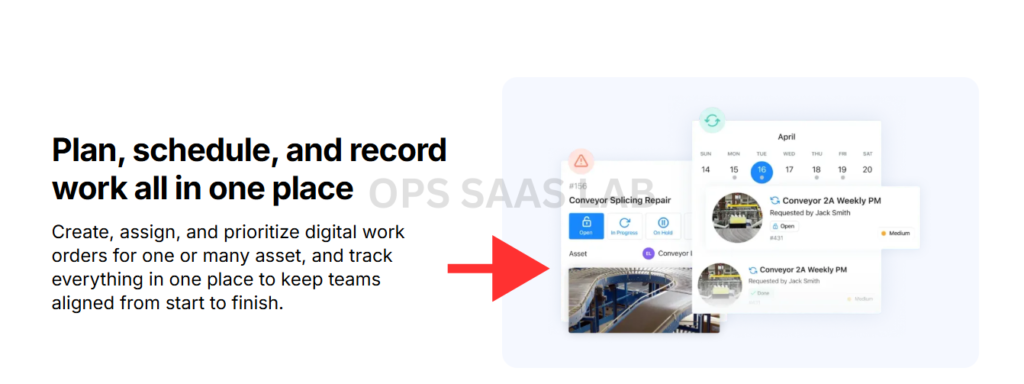
- Work order management — create, assign, prioritize, and close maintenance tasks.
- Preventive maintenance (PM) scheduling — set recurring tasks by date, meter reading, or usage cycle, so maintenance happens before something breaks.
- Asset tracking — a record for every piece of equipment, including model, location, warranty, and full repair history.
- Spare parts and inventory management — track stock levels for parts, get reorder alerts, and avoid a technician standing in front of a broken machine with no replacement part on hand.
- Reporting and dashboards — see metrics like average repair time, most frequent failures, and maintenance cost per asset.
- Mobile access — most modern CMMS platforms include a phone app, so technicians can update work orders from the field without going back to a desk.
- Integrations — many CMMS tools connect to accounting, ERP, or IoT sensor systems to pull data automatically instead of manual entry.
Not every CMMS includes every feature at every price tier — this is one of the biggest differences between free/basic plans and enterprise-level software.
Types of CMMS Software
CMMS software generally splits along two lines: how it’s hosted, and who it’s built for.
By hosting:
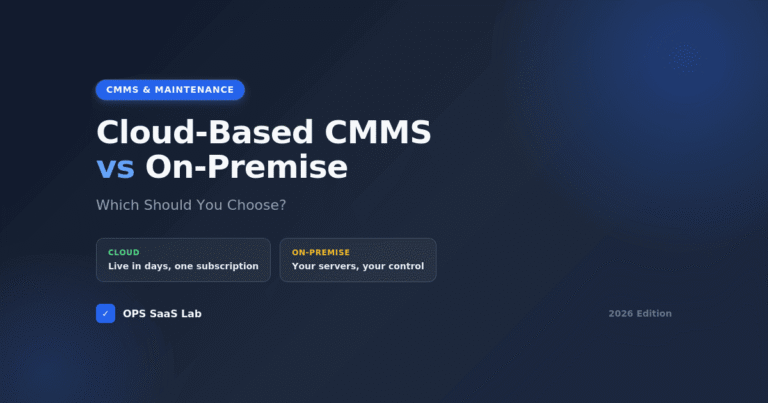
- Cloud-based (SaaS) CMMS — accessed through a browser or app, hosted by the vendor, usually priced per user per month. This is the most common option for small and mid-sized teams today.
- On-premise CMMS — installed and run on a company’s own servers. Less common now, but still used by organizations with strict data control requirements.
(For a full breakdown of which one fits your situation, see Cloud-Based CMMS vs On-Premise: Which Should You Choose?.)
By focus:
- General-purpose CMMS — built to work across most industries with standard maintenance needs.
- Industry-specific CMMS — tailored for a sector like healthcare, fleet, or food manufacturing, often with built-in compliance templates for that industry.
- CMMS bundled with EAM/ERP — some enterprise platforms fold CMMS features into a larger asset or resource-planning system rather than selling it standalone.
Who Uses CMMS? Industries & Real-World Use Cases
CMMS software is used anywhere physical equipment needs regular upkeep — which covers a wider range of industries than most people expect:
- Manufacturing — production line equipment, factory machinery, and shop-floor tools.
- Facilities and property management — HVAC systems, elevators, plumbing, and building infrastructure across single sites or large portfolios.
- Healthcare — biomedical equipment, HVAC, and life-safety systems, often with compliance tracking built in for accreditation audits.
- Hospitality — hotel maintenance teams tracking rooms, kitchen equipment, and building systems.
- Government and public works — municipal fleets, water treatment equipment, and public buildings.
- Fleet and utilities — vehicle maintenance schedules, meters, and field infrastructure.
The common thread: any team responsible for keeping physical assets running, with more than a handful of machines or buildings to track, tends to outgrow spreadsheets and paper logs fairly quickly.
CMMS vs Other Business Software (EAM, ERP, CRM, CMS)
This is where most of the confusion happens, so here’s a direct answer: CMMS, EAM, ERP, and CRM solve different problems, even though they sometimes get bundled together or confused by name.
| Software | Main Focus | Best For | Example |
|---|---|---|---|
| CMMS | Maintenance work orders, PM scheduling, repair history | Maintenance and facilities teams | MaintainX, Limble |
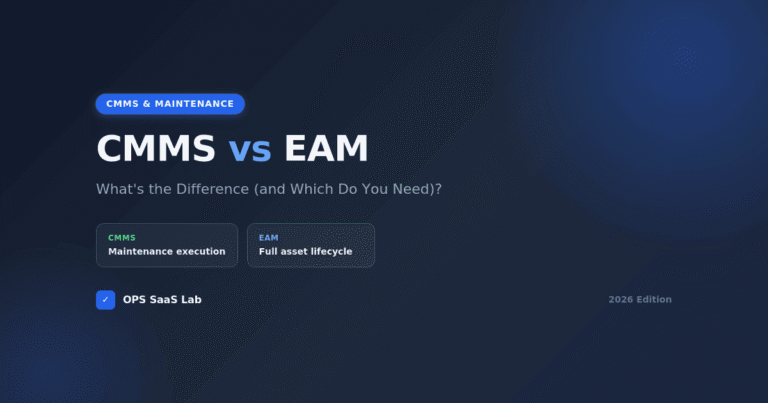
| EAM | Full asset lifecycle — procurement to disposal, across multiple sites | Larger, multi-site enterprises with capital assets | IBM Maximo, Hexagon EAM |
| ERP | Company-wide operations — finance, HR, supply chain, sometimes maintenance as a module | Whole-business resource planning | SAP, Oracle |
| CRM / CMS | Customer relationships (CRM) or website content (CMS) — not maintenance at all | Sales/marketing teams (CRM), content teams (CMS) | Salesforce (CRM), WordPress (CMS) |
A few quick clarifications this table raises:
- Is SAP a CMMS or an ERP? SAP is primarily an ERP. It offers maintenance functionality as one module within a much larger system, which is why people sometimes mix up the two.
- Is CMMS a CRM? No. A CRM manages customer relationships and sales pipelines; a CMMS manages equipment and maintenance work. They serve completely different teams.
- Is CMMS the same as CMS? No — a CMS (Content Management System) manages website content like blog posts and pages. The acronyms just happen to look similar.
(For the full CMMS vs EAM breakdown, including which one fits your company size, see CMMS vs EAM: What’s the Difference (and Which Do You Need)?.)
How Much Does CMMS Software Cost?
CMMS software is usually priced per user, per month, and the range is wide — from free plans for very small teams to several hundred dollars per user for enterprise platforms with advanced features.
What tends to move the price:
- Number of users — most vendors charge per named user or per technician seat.
- Feature tier — basic work order tracking costs less than plans with advanced reporting, IoT integration, or multi-site management.
- Hosting type — cloud/SaaS plans are typically subscription-based; on-premise setups may involve a larger upfront cost instead.
- Implementation and training — larger rollouts sometimes include setup or onboarding fees on top of the subscription.
CMMS Cost Calculator
Drag the slider to your team size for a rough monthly range. These are starting-tier estimates based on published 2026 vendor pricing, not quotes — always confirm on the vendor’s site.
Teams of 1-2 can often start on a free tier. Figures are entry-tier per-user pricing published by vendors as of August 2026 — advanced features (API access, multi-site, advanced reporting) commonly cost more.
Several vendors offer a free tier or free trial for small teams testing the waters, though free plans usually cap the number of users, assets, or work orders you can manage.
(For real pricing tiers from actual vendors, see 10 Best CMMS Software for Small Manufacturers in 2026.)
The Costs Most Comparison Pages Don’t Mention
Comparison articles usually stop at the “starting price.” A few things they typically leave out:
- Entry-tier pricing often excludes what you actually need — API access, advanced reporting, and multi-site management are commonly gated to a higher (sometimes 2-3x pricier) tier once a team outgrows the basics.
- Free and cheap plans commonly cap the essentials — a 2-user limit, no preventive maintenance scheduling, or a hard cap on active work orders are typical restrictions on the cheapest tier, not rare exceptions.
- Custom ERP integrations rarely come free — connecting to Oracle, Dynamics 365, or a non-standard SAP setup, when no pre-built connector exists, commonly runs into five figures of custom integration work.
- Quote-based vendors mean the “starting price” in any roundup article isn’t the real number — several major platforms don’t publish pricing publicly at all. Get an actual quote before comparing on price.
How long this takes to pay for itself varies by vendor and team size, but it’s a fair question to ask before buying. As one real data point: G2’s aggregated buyer data for Limble CMMS puts the average reported payback period at around 10 months, with buyers self-reporting productivity and downtime improvements in the 30-40% range. Treat vendor-reported figures like this as a directional signal, not a guarantee — your own starting point (how bad your current spreadsheet chaos actually is) matters more than any single benchmark.
Benefits of Using a CMMS
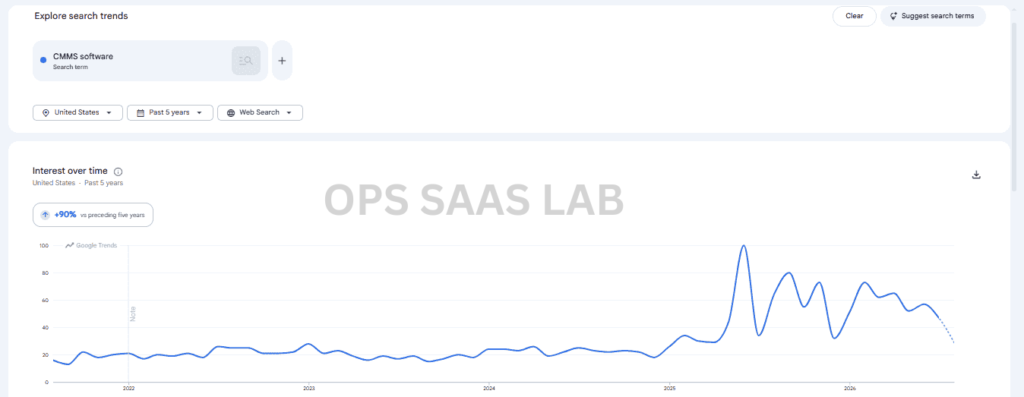
The core benefit of a CMMS is simple: it shifts maintenance work from reactive (fixing things after they break) to preventive (catching problems before they cause downtime) — and that shift has a real dollar value attached to it.
A few figures that show why this matters:
- Unplanned downtime costs manufacturers an average of roughly $125,000 to $260,000 per hour, according to industry research from ABB and Aberdeen Group — the exact number depends heavily on the industry and plant size.
- Reactive repairs are commonly estimated to cost three to nine times more than the same job handled as scheduled preventive maintenance, according to maintenance-industry benchmarks.
- Facilities relying on paper or spreadsheets tend to run a higher share of reactive maintenance — commonly cited industry estimates put this around 40-55%, compared to roughly 15-20% for teams using a CMMS.
- Structured preventive maintenance programs are commonly estimated to save 12-18% on total maintenance costs compared to a reactive-only approach.
Beyond the cost side, teams using a CMMS typically see:
- Fewer surprise breakdowns, because scheduled maintenance catches wear before failure.
- Faster repairs, since technicians have equipment history and parts availability on hand instead of guessing.
- Better compliance records, with a timestamped log for audits or safety inspections.
- Clearer accountability, because every work order is tied to a person and a completion time.
Before You Buy: Why Some CMMS Rollouts Don’t Stick
CMMS software genuinely delivers the benefits above — but buying it isn’t the same as getting value from it. A meaningful share of CMMS implementations underperform or get abandoned within the first year, not because the software is bad, but because of how it’s rolled out.
The most common reasons a rollout stalls:
- Messy asset data going in — importing incomplete or outdated equipment records means the system is unreliable from day one.
- No pilot team — rolling out to every site or department at once, with no small group testing the workflow first.
- Training that covers the software, not the job — technicians shown a general product tour instead of their specific daily workflow, so they quietly go back to paper.
None of this is a reason to skip a CMMS — it’s a reason to sequence the rollout carefully. The “How to Implement a CMMS” section below covers the order that avoids these failure points.
How to Choose the Right CMMS for Your Business
The right CMMS depends less on which one has the most features, and more on which one fits how your team actually works day to day.
As a practical rule of thumb: once you’re tracking more than roughly 50-100 pieces of equipment, or handling 20-30+ work orders a month, spreadsheets typically start breaking down — missed inspections, lost repair history, no one sure what’s actually overdue. That’s usually the point teams start shopping for a CMMS.
Beyond the raw numbers, a few specific moments are a more reliable signal than any headcount or asset count:
- You’ve fixed the same asset twice in 90 days because nobody could find the notes from the first repair.
- A technician redid a PM task that was already completed that week, because there was no shared record of who did what.
- You’ve had a piece of equipment go missing or unaccounted for during an audit.
- Compliance paperwork exists, but reconstructing it for an inspector takes hours of searching instead of minutes of exporting.
If any of these sound familiar, that’s usually a stronger signal than the numbers above that it’s time to look at a CMMS.
Questions worth answering before you shortlist software:
- How many people need access? Pricing and plan tiers scale with user count — know your number before you start comparing quotes.
- Do technicians need mobile access in the field? If most of your team isn’t sitting at a desk, prioritize a strong mobile app over desktop-only features.
- Does your industry require compliance tracking? Healthcare, food manufacturing, and other regulated industries need audit-ready records — check this before committing.
- What does it need to integrate with? Accounting software, ERP systems, or IoT sensors you already use should connect cleanly, or you’ll end up re-entering data by hand.
- How steep is the learning curve? A powerful system nobody wants to use ends up back on paper within a few months — ease of use matters as much as feature count.
- What’s the real budget, including training? The subscription price is rarely the full cost — factor in onboarding time and any setup fees.
How to Implement a CMMS (Overview)
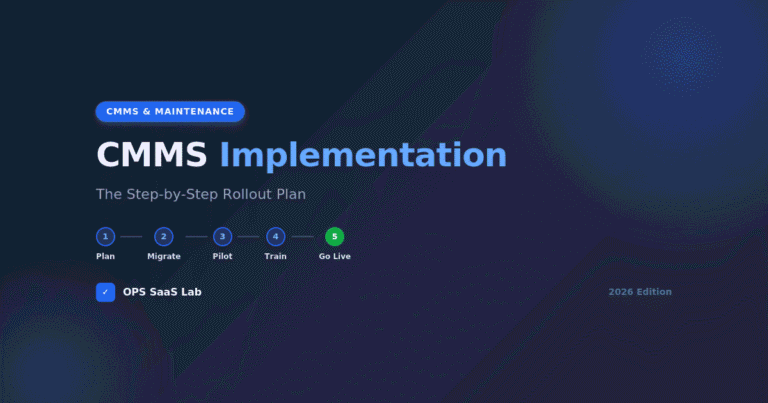
Rolling out a CMMS generally follows five stages: cleaning up your asset data, running a pilot with one team, migrating full data, training staff, and going live in phases rather than all at once.
A short version of what that looks like:
- Clean and organize your asset list before importing anything — bad data in means bad data out.
- Pick a pilot group (one team or one site) to test the software before a full rollout.
- Migrate historical data — equipment records, past work orders, and warranty info.
- Train staff on the specific workflows they’ll use daily, not just a general software tour.
- Go live in phases, expanding to more teams or sites once the pilot group is comfortable.
(For the full step-by-step rollout plan, see How to Implement a CMMS: Step-by-Step Rollout Plan.)
Examples of Popular CMMS Software
Several CMMS platforms are widely used across manufacturing, facilities, and maintenance teams today, each with a slightly different focus:
- MaintainX — mobile-first, known for simple work order creation and team messaging built into the app.
- Limble CMMS — flexible workflows and custom dashboards, often chosen by larger or multi-site teams.
- UpKeep — mobile-first CMMS aimed at maintenance and operations teams of all sizes.
- Fiix (now part of Rockwell Automation) — used by manufacturing, food and beverage, and oil and gas companies, with AI-driven forecasting features.
- eMaint (owned by Fluke) — established CMMS known for strong preventive maintenance scheduling.
- IBM Maximo — enterprise-grade, often used where CMMS and EAM needs overlap at large scale.
This is only a starting list — the right pick depends on team size, industry, and budget.
Compare 6 Popular CMMS Platforms
Tap any column header to sort. Figures below are approximate starting prices and public G2 ratings as of mid-2026 — always confirm current pricing on the vendor’s own site before deciding.
| Platform | Starting Price | Free Plan? | Best For | Mobile App | Ease of Setup | Standout Feature | G2 Rating |
|---|
Sources: vendor pricing pages and G2 profiles, checked August 2026. Pricing changes often, especially on quote-based plans (Limble, eMaint, IBM Maximo) — treat the $ figures here as a starting reference, not a quote.
FAQs
Is SAP a CMMS or an ERP?
SAP is an ERP (Enterprise Resource Planning) system. It includes a maintenance module that can function like a CMMS, but SAP's core purpose covers finance, supply chain, and operations across an entire company — not maintenance alone.
Are CMMS and EAM the Same?
No. CMMS focuses on day-to-day maintenance work orders and scheduling. EAM (Enterprise Asset Management) covers the full lifecycle of an asset — procurement, operation, and eventual disposal — usually across multiple sites. Many EAM platforms include CMMS-style features, but not the other way around.
Is CMMS a CRM?
No. A CRM manages customer relationships, sales leads, and communication. A CMMS manages equipment, work orders, and maintenance schedules. The two solve unrelated problems for different teams.
What Is CMMS in Full?
CMMS stands for Computerized Maintenance Management System — software that centralizes maintenance scheduling, work orders, and equipment history in one digital system.
How Does a CMMS System Work?
A CMMS turns maintenance needs into work orders, assigns them to technicians, tracks completion (often from a mobile app), and logs the result to that asset's permanent history — replacing paper logs and spreadsheets.
Are There Different Types of CMMS?
Yes. CMMS software is typically either cloud-based (SaaS) or on-premise, and either general-purpose or built for a specific industry, such as healthcare or fleet maintenance.
What Is an Example of a CMMS?
MaintainX, Limble CMMS, UpKeep, Fiix, eMaint, and IBM Maximo are widely used examples, each with different strengths depending on team size and industry.
Is There Free CMMS Software?
Yes, several vendors offer free plans, usually limited to a small number of users, assets, or work orders. Free tiers work for very small teams but often require an upgrade as a team or asset list grows.
How Much Does CMMS Software Cost?
Most CMMS platforms charge per user, per month, ranging from free (for very small teams) up to several hundred dollars per user for enterprise-level plans. Cost depends on user count, feature tier, and whether it's cloud-based or on-premise.
What CMMS Software Is Best for Maintenance?
There's no single best CMMS — the right choice depends on team size, industry, mobile needs, and budget. Mobile-first platforms like MaintainX and UpKeep suit smaller field teams, while Limble and IBM Maximo tend to fit larger or multi-site operations better.