Field Service Management Software for Small Business: The Complete 2026 Guide
A field service business doesn’t lose money to broken equipment — it loses money to trucks that show up at the wrong time, technicians without the right part, and jobs that need a second visit to actually finish. Field service management software exists to close exactly that gap. This guide covers what field service management software for small business actually costs, how it differs from a CMMS, and how to pick the right one for your team size.
If you’ve landed here trying to figure out what this category actually is, how it differs from similar-sounding tools, and what it really costs, this guide covers all of it — plainly, with real pricing and no vendor pitch.
Quick answer: Field service management software for small business helps schedule, dispatch, and track technicians who travel to customer sites for repairs, installations, or maintenance. It differs from a CMMS, which manages equipment a company owns internally. Entry-level FSM platforms start around $29-79/month; enterprise platforms like ServiceTitan run $300-500+ per technician monthly.
Table of Contents
What Is Field Service Management Software?
Field service management (FSM) software coordinates work that happens away from a home office — a technician driving to a customer’s home, business, or site to install, repair, or maintain something. It typically includes job scheduling, technician dispatch, a mobile app for the field, customer communication, and invoicing, all connected so office staff and technicians see the same job information in real time.
The category exists because that coordination used to run on phone calls, paper work orders, and a whiteboard. A missed callback or a technician sent without the right part isn’t just an inconvenience — it’s a second trip, an unhappy customer, and a wasted labor hour.
Field Service Management vs. CMMS: What’s the Difference?
This is the single most common point of confusion in this space, and the distinction is simpler than most explanations make it sound: whose equipment is being serviced.
- FSM software manages technicians traveling to service equipment a customer owns — an HVAC unit in someone’s home, a piece of leased machinery at a client’s warehouse, a broken appliance.
- CMMS software manages maintenance for equipment a company owns and runs internally — on its own factory floor, in its own facility.
| Field Service Management (FSM) | CMMS | |
|---|---|---|
| Whose equipment | Customer-owned, off-site | Company-owned, on-site |
| Primary focus | Dispatch, scheduling, customer jobs | Preventive maintenance, asset upkeep |
| Customer-facing tools | Common — booking, invoicing, portals | Rare |
| Asset lifecycle tracking | Limited in most tools | Core feature |
| Typical buyer | HVAC, plumbing, electrical, pest control businesses | Manufacturers, facilities teams |
| Real examples | Jobber, Housecall Pro, ServiceTitan | MaintainX, Limble, UpKeep |
If your team primarily drives to customer locations to do work, you need FSM software. If your team maintains equipment your own company owns inside its own building, you need a CMMS — we cover that category in full in What Is CMMS? The Complete Guide. Some larger platforms blend both, but for most small businesses the two categories solve genuinely different problems, and buying the wrong one means paying for features your team will never use.
The Real Cost of Field Service Inefficiency
Before looking at features, it’s worth understanding why this category exists in the first place — the numbers behind a poorly coordinated field team are larger than most owners expect.
First-Time Fix Rate: Average vs. Top Performers
Source: Aberdeen Group / Service Council research, commonly cited across the field service industry.
60-65%
average technician utilization industry-wide
~32%
shorter response times using FSM software vs. manual dispatch
86% vs 76%
customer retention above vs. below 70% FTFR
Figures vary by trade and job complexity — treat as directional industry benchmarks, not a guarantee for any single business.
- First-time fix rate (FTFR) — the share of jobs resolved without a follow-up visit — commonly averages around 75-77% industry-wide, according to research from Aberdeen Group and the Service Council. That means roughly one in four service calls needs a second trip.
- Top-performing organizations — generally the top 20% — report FTFR of 85-92%, a gap that translates directly into technician capacity: a team completing 100 jobs a week at 70% FTFR needs 30 return visits; at 90%, that drops to 10.
- Customer retention tracks FTFR closely. Aberdeen’s research found businesses with FTFR above 70% average around 86% customer retention, while those below 70% see retention drop by roughly 10 percentage points.
- Technician utilization — the share of paid hours spent on billable work — averages only 60-65% industry-wide, according to Technology & Services Industry Association (TSIA) research, largely lost to scheduling inefficiency and unproductive drive time.
- Businesses using dedicated FSM software report roughly 32% shorter response times compared to manual, phone-and-paper dispatch methods.
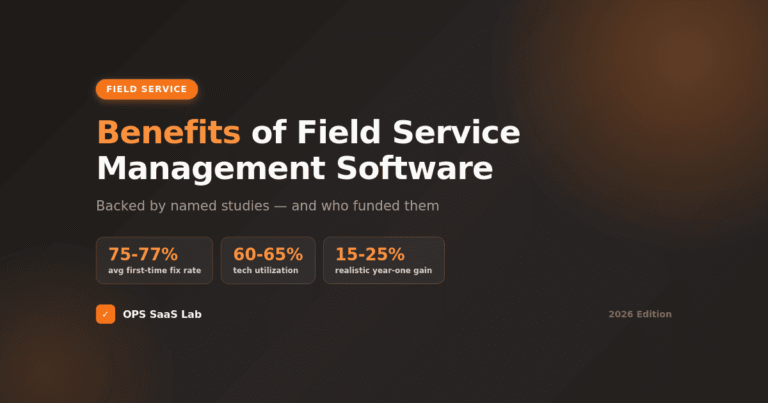
None of these numbers are a guarantee — they vary by trade and job complexity — but the direction is consistent across every source: the gap between average and top-performing field service operations is mostly a scheduling and dispatch problem, which is exactly what this category of software is built to fix. We break down the full return-on-investment picture separately in Benefits of Field Service Management Software (Backed by Data).
Core Features of Field Service Management Software
Most FSM platforms are built around the same core set of tools, even when the interface looks different vendor to vendor:
- Job scheduling and dispatch — assign technicians to jobs based on location, skill, and availability, usually on a drag-and-drop calendar or dispatch board.
- Mobile technician app — job details, customer history, photos, and forms available in the field, often with offline access.
- Customer communication — automated appointment reminders, on-my-way texts, and follow-ups that reduce no-shows on both sides.
- Quoting and invoicing — turn a completed job into an invoice without re-entering data, often with built-in payment collection.
- GPS tracking and routing — see where technicians are and route the next job efficiently instead of guessing.
- Reporting — job completion times, technician utilization, and revenue by job type or technician.
Not every platform includes every feature at every price tier — this is one of the biggest differences between entry-level and higher-cost plans, and worth checking carefully before comparing prices.
Job Scheduling and Dispatch: The Core Workflow
Scheduling and dispatch is the workflow the rest of FSM software is built around. In practice, it looks like this: a job comes in, office staff (or the software itself) matches it to an available technician based on skill and proximity, the technician gets notified on their phone, and the job status updates automatically as work progresses.
The quality of this workflow varies more than most buyers expect. Basic tools offer a shared calendar; more capable platforms add skill-based routing, real-time technician location, and automatic rescheduling when a job runs long. For a deeper comparison of scheduling-specific tools, see Field Service Scheduling: How to Choose the Right Software.
Mobile Workforce Management: Why It’s Central to FSM
“Mobile workforce management” and “field service management” overlap heavily, and for good reason — a technician who isn’t at a desk needs their tools to work entirely from a phone. This covers more than just viewing a job: it means updating job status, capturing signatures and photos, checking parts availability, and getting paid, all without calling the office.
Platforms that treat mobile as an afterthought tend to show it — technicians report clunky forms, missing offline access, and app crashes in the field. Since technicians are the ones using this daily, mobile experience quality is worth testing directly (most platforms offer a free trial) rather than judging from a features list alone.
Field Service Management Software for Small Business: What Changes at Your Size
A one-truck operation and a 20-technician company need genuinely different things from FSM software, not just a bigger version of the same tool.
- Solo and small teams (1-10 technicians) generally need fast setup, simple scheduling, and integrated payments — advanced reporting and multi-location management add cost without adding value at this size.
- Growing teams (10-25 technicians) start needing skill-based routing, deeper QuickBooks integration, and reporting that shows which technicians and job types are actually profitable.
- Larger, multi-location operations (25+ technicians) typically need dispatch boards built for volume, customer lifetime value reporting, and marketing ROI tracking — capability that comes with meaningfully higher cost.
Buying above your current size is one of the most common expensive mistakes in this category — paying for enterprise dispatch logic and reporting depth a five-person team will never touch.
How Much Does Field Service Management Software Cost?
Published pricing varies noticeably even across comparison sites covering the same platforms, so treat any single number — including the ones below — as a starting reference rather than a quote.
Where Each Platform Lands on Price
Monthly starting price — figures vary by source; treat as a reference range, not a quote.
ServiceTitan does not publish pricing at all — every figure attributed to it in this space, including this one, is an independent estimate, not a quote. Sources: multiple field service software comparison sites and user cost reports, checked 2026.
| Platform | Entry Price | Best Fit | Note |
|---|---|---|---|
| Jobber | Roughly $29-69/mo | 1-25 technicians | Per-user fees on higher tiers |
| Housecall Pro | Roughly $49-79/mo | 1-15 technicians | Additional users ~$35-50/mo each |
| FieldEdge | Roughly $100-125/user/mo | 5-25 technicians, HVAC/plumbing | Pricing not published; based on user-reported figures |
| ServiceTitan | Custom quote only | 10+ technicians, $2M+ revenue | Independent estimates commonly range $300-500+/technician/month, plus setup fees often in the thousands |
Sources: multiple independent comparison sites and user cost reports, checked 2026. ServiceTitan does not publish pricing at all — every figure attributed to it in this space is an estimate, not a quote.
The pattern that holds across nearly every source: entry-level FSM software for a small team runs $50-300/month depending on team size and add-ons. Enterprise-tier platforms are priced per technician and require a sales conversation, not a pricing page.
Who Uses Field Service Management Software?
FSM software fits any business that sends technicians to customer locations rather than customers coming to them:
- HVAC, plumbing, and electrical contractors — the largest and most software-mature segment of this market.
- Pest control and lawn care — recurring-service businesses that rely heavily on scheduling and route optimization.
- Appliance repair and handyman services — high job volume, short jobs, heavy reliance on mobile scheduling.
- Garage door, locksmith, and security system installers — emergency-dispatch-heavy businesses where response time is a competitive factor.
- Commercial equipment service providers — technicians servicing equipment installed at business customer sites under a service contract.
The common thread: any business whose revenue depends on technicians completing the right job, at the right location, with the right parts, on the first visit.
Real-World Examples: Popular FSM Platforms
A handful of platforms come up repeatedly across this category, each with a different sweet spot:
- Jobber — widely used by solo operators and small teams for its combination of low entry cost and a clean QuickBooks Online sync.
- Housecall Pro — mobile-first, popular with residential contractors who want integrated payments and marketing tools built in.
- FieldEdge — common among HVAC and plumbing shops already running QuickBooks Desktop, where its integration is unusually mature.
- ServiceTitan — the enterprise option, built for larger operations with 10+ technicians and the budget to match.
- Workiz — a budget-conscious alternative popular with locksmith, garage door, and appliance repair businesses.
This isn’t a ranked list — for a full, currently-verified comparison of pricing, ratings, and best-fit use cases, see 10 Best Field Service Management Software Platforms, or for a deeper feature-by-feature breakdown across eight platforms, Field Service Management Software Reviews: 8 Top Platforms Compared.
How to Choose the Right FSM Software for Your Team Size
Skip the feature checklist and start with where your business actually is:
Which FSM Fits Your Team Size?
Drag the slider to your technician count for a straight recommendation.
Solo & Small Teams
1-10 technicians
Jobber or Housecall Pro
Fast setup, low cost, integrated payments
Growing Teams
10-25 technicians
Jobber Grow, Housecall Pro Max, or FieldEdge
Skill-based routing, deeper reporting
Multi-Location & Enterprise
25+ technicians
ServiceTitan
Volume dispatch, CLV & marketing ROI reporting
Solo Operators and Small Teams (1-10 Technicians)
Prioritize fast setup and low cost over depth. Jobber and Housecall Pro's entry tiers cover scheduling, mobile access, and payments — enough to replace paper and spreadsheets without a steep learning curve.
Growing Teams (10-25 Technicians)
This is where reporting and integration start to matter. Look at mid-tier plans from the same platforms, or FieldEdge if your business already runs on QuickBooks Desktop specifically.
Multi-Location and Enterprise Operations (25+ Technicians)
ServiceTitan becomes worth its cost roughly once a business crosses $2M in revenue or needs skill-based dispatch across multiple locations — below that threshold, most businesses are paying for capability they won't use.
One genuinely useful, underused fact: Gartner retired its long-running Magic Quadrant report for field service management after the 2022 edition, replacing it with a Market Guide format. If you see a "Gartner Magic Quadrant for FSM" referenced as current anywhere in 2026, treat that as outdated — the report it's citing no longer exists in that form. For general research on service-industry benchmarks instead, the Technology & Services Industry Association publishes ongoing field service research.
FAQs
What is field service management software?
FSM software helps businesses schedule, dispatch, and track technicians who travel to customer sites for installation, repair, or maintenance work — covering job scheduling, mobile work orders, customer communication, and invoicing in one platform.
What is the best software for field service management?
There's no single best option. Jobber and Housecall Pro suit solo operators and small teams, FieldEdge fits HVAC and plumbing shops on QuickBooks Desktop, and ServiceTitan fits operations with 10+ technicians and $2M+ revenue.
What are the top field service management software platforms?
The most frequently reviewed platforms include Jobber, Housecall Pro, ServiceTitan, FieldEdge, and Workiz — each built for a different business size, from solo contractors to multi-location, enterprise-scale service operations.
What is the best field service management app?
For mobile-first technician use, Housecall Pro and Jobber both offer strong native apps built around job details, GPS tracking, and payment collection. The better fit depends on your team size and budget.
What is the best scheduling software for field technicians?
Jobber's drag-and-drop calendar and Housecall Pro's dispatch board are both built specifically for field technician scheduling — handling availability, skills, and location, unlike generic calendar tools not designed for dispatch.
How much does field service management software cost?
Most small service businesses pay $50-300 per month. Entry plans start near $29-79/month, per-user fees add up with team size, and enterprise platforms like ServiceTitan run $300-500+ per technician monthly.
Is there a free field service management app available?
True free FSM apps are limited — most platforms offer a free trial rather than a permanent free tier. Some, like Jobber, offer low-cost entry plans for solo operators instead of a genuine free version.
What is the best scheduling software for a service business?
The right choice depends on team size: Housecall Pro and Jobber suit 1-15 technicians, FieldEdge fits HVAC and plumbing shops already on QuickBooks Desktop, and ServiceTitan fits larger, multi-location service businesses.
What is mobile workforce management?
Mobile workforce management is the practice of coordinating field employees — scheduling, dispatching, tracking location, and managing work orders — through mobile apps rather than paper or phone calls, in real time.
What is the difference between field service management and CMMS?
FSM software manages technicians servicing customer-owned equipment at outside locations. CMMS manages maintenance for equipment a company owns and operates internally. The core difference is whose asset is actually being serviced.