Field Service Management Software Reviews: 8 Top Platforms Compared
Most “field service management software reviews” round-ups read the same way: a feature list, a star rating pulled from somewhere, and a “best for” label that conveniently matches whatever the site is trying to sell. What actual users write in their G2 and Capterra reviews often tells a different story than the marketing page.
This one is built from that gap. Every rating below is sourced directly from G2 or Capterra, every pro and con is drawn from what real reviewers actually wrote, and every comparison notes where sources disagree — because in this category, they frequently do.
Quick answer: Across verified G2 and Capterra reviews, Jobber (4.6/5) and Workiz (4.5/5) score highest among small-team platforms, while ServiceTitan (4.5/5 G2) leads for enterprise capability despite reviewers consistently flagging its learning curve and cost. The most common complaint across nearly every platform in this category is weak offline mobile access.
Table of Contents
How We Reviewed These Platforms
Every platform below is scored using two independent sources — G2 and Capterra — rather than a single review site, because ratings for the same product can differ meaningfully between them. We then read through the actual pros-and-cons sections reviewers write, not just the star average, to surface what specifically satisfies or frustrates real users.
Three things disqualify a platform from this list: no meaningful review volume on either platform, a product that’s been discontinued or absorbed into another brand, or pricing so opaque that even reviewers can’t agree what it costs.
What Reviewers Praise vs. What They Flag
Pick a platform for the short version before you read the full write-up below.
✓ REVIEWERS PRAISE
✗ REVIEWERS FLAG
Field Service Management Software Ratings at a Glance
| Platform | G2 Rating | Capterra Rating | Review Volume | Reviewer Consensus |
|---|---|---|---|---|
| Jobber | 4.6/5 | 4.6/5 | ~470 (G2), ~1,420 (Capterra) | Easiest to learn, fastest to value |
| Workiz | 4.5/5 | — | ~224 (G2) | Strong setup experience, responsive support |
| ServiceTitan | 4.5/5 | 4.3-4.4/5 | ~350 (G2) | Powerful but complex, steep learning curve |
| Housecall Pro | 4.3/5 | 4.7/5 | ~201 (G2) | Best-rated support, strong mobile app |
| ServiceMax | 4.2/5 | — | ~145 (G2) | Enterprise automation, mid-market focus |
| Service Fusion | 4.1-4.2/5 | 4.3/5 | ~118-308 (varies by source) | Best value at scale, weak mobile app |
| FieldEdge | 4.0-4.1/5 | — | ~83-305 (varies by source) | Fast to learn, pricing not disclosed |
| FieldPulse | — | — | Limited public volume | Strong app-store ratings, pricing not published |
G2 vs. Capterra: Do the Ratings Agree?
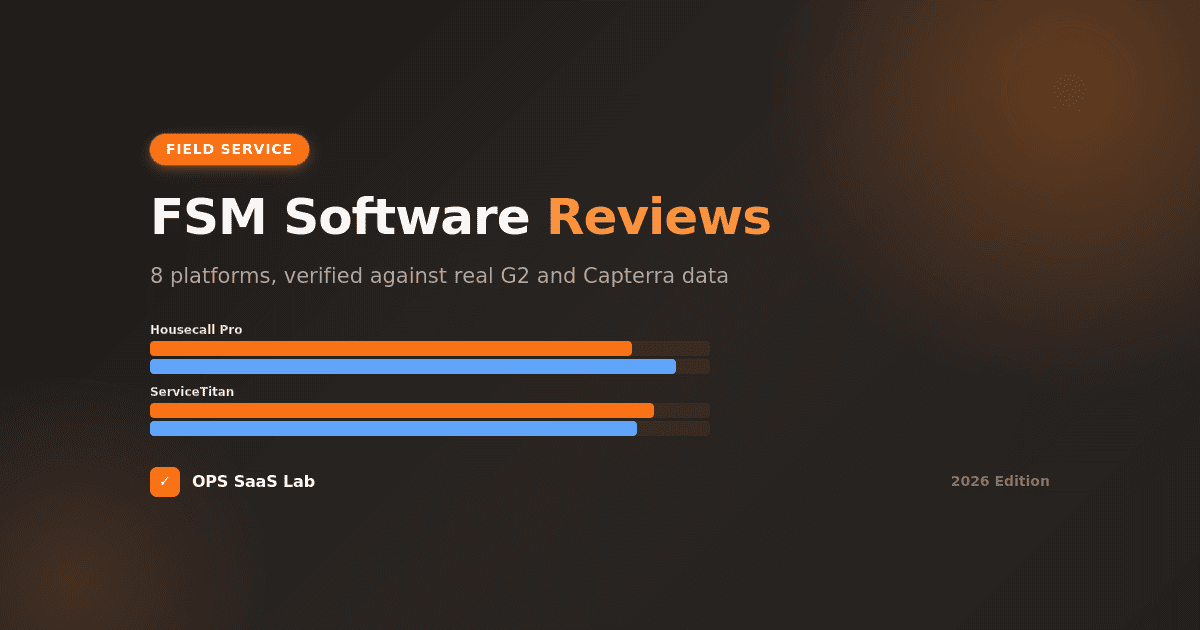
Two independent review platforms, same product. Where the bars line up, reviewers agree. Where they don't, that gap is worth knowing before you trust either number alone.
Ratings out of 5, current at time of writing. Platforms with no public Capterra volume show G2 only. Review platforms update scores continuously — always confirm the current number directly before deciding.
Review counts vary by source and change over time — treat these as approximate. Always check current review volume directly on G2 or Capterra before deciding.
The 8 Platforms: What Real Users Say
1. ServiceTitan — Powerful, But Reviewers Warn About the Learning Curve
ServiceTitan holds a 4.5/5 on G2 and sits between 4.3 and 4.4 on Capterra depending on the source, built for larger residential and commercial trade businesses.
What reviewers praise: Comprehensive, connected workflows — scheduling, invoicing, and job management in one system reviewers describe as genuinely integrated rather than bolted together. The dispatch board specifically draws consistent praise for making job tracking easy to plan around.
What reviewers consistently flag: The learning curve shows up in review after review, alongside cost — one reviewer directly compared it to paying five times what Housecall Pro costs. Onboarding complaints are common enough that they show up in BBB complaints as well as star reviews, with some users reporting months-long delays before going live. Inventory management draws specific criticism as unnecessarily complicated for teams without a dedicated inventory person.
2. Jobber — The Rating Leader for Small Teams
Jobber posts the strongest consistent ratings in this category: 4.6/5 on both G2 (roughly 470 reviews) and Capterra (roughly 1,420 reviews) — genuinely high agreement between two independent review platforms.
What reviewers praise: An intuitive interface reviewers say needs minimal training, strong scheduling and job tracking, and quick time-to-value after setup. In aggregated review analysis, 88% of users who mentioned efficiency specifically reported measurable improvement.
What reviewers consistently flag: Automated invoicing reportedly fails when a customer has no saved payment method. Per-user pricing adds up — reviewers note cost pressure once a team scales past roughly 10-15 employees or crosses the $100,000 revenue mark. QuickBooks sync is one-way only, which complicates accounting workflows for some users, and the mobile app is reported to lack full offline access.
3. Housecall Pro — Best-Rated Support in the Category
Housecall Pro sits at 4.3/5 on G2 but notably higher — 4.7/5 — on Capterra, with support quality as its most consistently praised trait across both platforms.
What reviewers praise: A robust, mobile-first app; built-in marketing tools (review requests, email campaigns) that reduce the need for separate software; and support reviewers rate as the strongest in side-by-side comparisons against ServiceTitan and Jobber.
What reviewers consistently flag: Reviewers comparing it directly to ServiceTitan note a real trade-off in reporting depth — Housecall Pro's reporting is considered more basic. Additional users add cost quickly on growing teams.
4. FieldEdge — Fast to Learn, Frustrating for Some on Integration
FieldEdge scores 4.0-4.1/5 on G2 across roughly 83-305 reviews depending on the source and time period.
What reviewers praise: A genuinely quick learning curve and an interface reviewers describe as straightforward for new staff, plus deep integration with QuickBooks Desktop specifically — a real differentiator for shops still running that accounting setup.
What reviewers consistently flag: Some reviewers report glitchy accounting integration despite the Desktop strength, an underwhelming mobile app, and inaccurate time tracking. One detailed review described basic tasks requiring more steps than a previous system, undercutting the efficiency gain the switch was meant to deliver. Pricing is not published, which reviewers across comparison sites flag as a transparency gap.
5. Service Fusion — Best Value at Scale, Weakest Mobile Experience
Service Fusion rates 4.1-4.2/5 on G2 and 4.3/5 on Capterra, built around flat-rate pricing with unlimited users on every tier — a structurally different model from per-user competitors.
What reviewers praise: The unlimited-user flat-rate structure draws specific, repeated praise as the best value-for-money in its class. Onboarding and data import are frequently described as easy, and phone support gets credit for responsiveness.
What reviewers consistently flag: This is the most-documented weak mobile experience in the category. Reviewers report no offline mode at all — technicians lose access without an active connection — and the Android app specifically draws complaints about crashes and failed photo uploads. Independent analysis of aggregated reviews found roughly 79% of reviewers who mentioned reporting called it cumbersome, and about 82% who mentioned inventory management said it needs a significant overhaul.
6. Workiz — Strong Setup Experience, Rising Ratings
Workiz posts a 4.5/5 on G2 across roughly 224 reviews, with entry pricing commonly cited around $187/month.
What reviewers praise: An efficient, straightforward setup process reviewers say is easier to implement than several competitors, real-time scheduling and technician tracking that helps reduce missed appointments, and support quality that edges out some rivals in head-to-head comparisons.
What reviewers consistently flag: Less publicly documented complaint volume than older platforms in this list — partly a function of a smaller, newer review base rather than necessarily fewer issues.
7. FieldPulse — Strong App Ratings, Limited Public Review Volume
FieldPulse has invested heavily in mobile app quality specifically, and it's reflected in app store ratings that run higher than several competitors' apps. The company raised a $50M Series C in 2025, suggesting active continued development.
What reviewers praise: App usability specifically — this is the platform's clearest differentiator versus older, less mobile-native competitors in this list.
What reviewers consistently flag: Pricing isn't published, requiring a sales demo, and as of 2026 it lacks built-in GPS fleet tracking that some competitors include natively. Public G2/Capterra review volume is lower than the more established platforms above, which makes broad pattern-spotting harder — worth confirming current review counts directly before treating any single review as representative.
8. ServiceMax — The Enterprise Option Most Small-Business Lists Skip
ServiceMax rates 4.2/5 on G2, with a review base skewing notably more mid-market (roughly 41% of reviews) than the small-business-dominated platforms above. It's worth including specifically because most "field service software" round-ups stop at the SMB tier and never mention it.
What reviewers praise: Automation and AI-assisted scheduling that reviewers say meaningfully speeds up technician assignment, with real-time progress tracking built for larger, more complex operations.
What reviewers consistently flag: Reviewers comparing it to FieldEdge specifically note FieldEdge's interface as more approachable — a signal that ServiceMax's added capability comes with added complexity, consistent with its enterprise positioning.
Feature-by-Feature Comparison
| Feature | ServiceTitan | Jobber | Housecall Pro | FieldEdge | Service Fusion | Workiz |
|---|---|---|---|---|---|---|
| Offline mobile access | Limited | Limited | Better than most | Reviewers report issues | Reviewers report none | Not widely flagged |
| Flat-rate unlimited users | No | No | No | No | Yes | No |
| QuickBooks Desktop sync | Via integration | Online only | Online only | Strongest | Yes | Yes |
| Built-in marketing tools | Limited | Limited | Strong | Limited | Limited | Limited |
| Published pricing | No | Yes | Yes | No | Yes | Yes |
| Best-rated support (reviewer consensus) | Mixed | Strong | Strongest | Mixed | Strong | Strong |
Which Platforms Actually Have This?
Tap a feature to see how each platform holds up, according to what reviewers actually report — not the marketing page.
What These Reviews Actually Reveal
Read enough field service management software reviews and one pattern shows up more than any single feature comparison captures: offline mobile access is the most common source of technician-level frustration across nearly the entire category — not just one platform's weakness. Service Fusion draws the sharpest criticism here, but FieldEdge and even ServiceTitan pick up similar complaints in their own reviews.
That matters more than most feature checklists suggest, because technicians — not office staff — generate most day-to-day software friction, and a schedule that's unreachable without signal defeats the purpose of mobile-first software entirely. If you take one thing from aggregated reviews rather than marketing pages, test this specifically during any trial.
A second pattern: pricing transparency correlates loosely with reviewer trust. Platforms that publish pricing (Jobber, Housecall Pro, Workiz) tend to draw fewer complaints about billing surprises than those requiring a sales call (ServiceTitan, FieldEdge, FieldPulse) — not because hidden pricing is inherently worse, but because it removes a source of buyer's-remorse reviews before purchase.
FSM vs. CRM: Why Reviewers Confuse Them
A recurring question in this space is what actually separates field service management software from a CRM — and the confusion is understandable, since both track customers and communication.
The difference is what the software is organized around. A CRM is built around the customer relationship and sales pipeline — leads, deals, follow-ups. Field service management software is built around the job — scheduling a technician, dispatching them, completing the work, and getting paid. Many FSM platforms include CRM-adjacent features (customer history, communication logs), but a dedicated CRM has no concept of dispatch, technician routing, or job completion at all. Businesses that need both sometimes integrate a lightweight CRM alongside FSM software rather than replacing one with the other.
Types of Field Service Management Software
Not every platform in this category is built the same way. Reviews tend to cluster products into a few recognizable types:
- All-in-one platforms (ServiceTitan, Housecall Pro) — scheduling, dispatch, invoicing, marketing, and reporting in a single system.
- Scheduling-first platforms (Jobber) — strongest at the core dispatch workflow, with everything else built around it.
- Flat-rate, unlimited-user platforms (Service Fusion) — a genuinely different pricing structure rather than a different feature set.
- Enterprise/asset-heavy platforms (ServiceMax) — built for larger operations with complex, multi-technician job structures.
- Mobile-first platforms (FieldPulse, Workiz) — newer entrants competing primarily on app quality and technician experience.
HVAC-Specific Reviews: What Changes
HVAC contractors show up disproportionately across these review platforms, and industry-specific patterns emerge that general reviews sometimes bury. FieldEdge's QuickBooks Desktop strength draws specifically HVAC- and plumbing-trade praise, since that accounting setup remains common among established shops in those trades. ServiceTitan's reporting depth gets cited most by larger HVAC operations managing seasonal demand swings, where marketing ROI tracking has real budget impact. If you're specifically in HVAC, weight FieldEdge and ServiceTitan reviews from other HVAC businesses more heavily than general small-business reviews — the workflow needs genuinely differ from, say, a single-technician handyman operation.
How to Read Software Reviews Without Being Misled
A few practical filters worth applying to any review, on this list or elsewhere:
- Check the reviewer's company size. A five-person shop's five-star ServiceTitan review and a 40-technician company's five-star review are describing different products in practice.
- Read the cons, not just the star rating. A 4.6/5 average can still hide a consistent, specific complaint that matters enormously to your use case and not at all to most reviewers.
- Weight recent reviews more heavily. Software changes fast — a two-year-old complaint about a missing feature may no longer be accurate.
- Notice what's not mentioned. If dozens of reviews praise ease of use but almost none mention reporting, that's often a quiet signal reporting is mediocre, not that no one has an opinion.
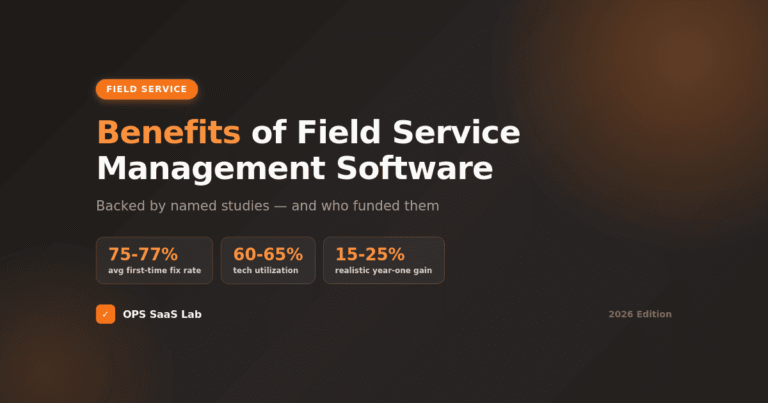
For the full category rundown — what field service management software actually does and how it differs from a CMMS — start with our pillar guide, Field Service Management Software: The Complete 2026 Guide. For real pricing across these platforms and more, see 10 Best Field Service Management Software Platforms. If you're evaluating specifically on scheduling and dispatch capability, Field Service Scheduling: How to Choose the Right Software covers that in depth, and the data-backed case for switching at all is in Benefits of Field Service Management Software.
For a live, filterable view of current ratings and full review text, Capterra's field service management category is worth checking directly before you commit — ratings shift as new reviews come in.
FAQs
What are the top field service management software platforms?
Based on verified G2 and Capterra ratings, Jobber (4.6/5), Workiz (4.5/5), and ServiceTitan (4.5/5 G2) rate highest among widely reviewed platforms, though the right fit depends heavily on team size and budget.
What is the best software for field service management?
There's no single best platform. Jobber leads on ease of use and rating consistency for small teams, Housecall Pro leads on support quality, and ServiceTitan leads on enterprise capability despite a steeper learning curve reviewers consistently note.
What's the difference between CRM and FSM?
A CRM is organized around the customer relationship and sales pipeline. Field service management software is organized around the job — scheduling, dispatching, and completing work. Many FSM platforms include CRM-like features, but a CRM has no dispatch or job-completion function.
What is field service management (FSM) software used for?
FSM software is used to schedule technicians, dispatch them to customer locations, track job status and completion, and handle invoicing — replacing manual coordination by phone, paper, or spreadsheet.
How much does field service management software cost?
Entry plans typically run $29-79 per month for one user, based on published pricing from Jobber, Housecall Pro, and Workiz. Service Fusion uses flat-rate pricing from around $208/month with unlimited users. Enterprise platforms like ServiceTitan are quote-only.
What are the types of field service management software?
Common types include all-in-one platforms, scheduling-first tools, flat-rate unlimited-user platforms, enterprise/asset-heavy systems built for larger operations, and newer mobile-first platforms competing primarily on app quality.
What is a field service manager?
A field service manager oversees technicians who work at customer locations rather than a central office — typically responsible for scheduling, dispatch decisions, technician performance, and customer satisfaction outcomes for field-based work.
Is ServiceTitan worth the cost compared to smaller platforms?
Reviewers generally say yes for larger operations needing advanced reporting, marketing attribution, and multi-location dispatch, but frequently note it's overbuilt and expensive for small teams better served by Jobber or Housecall Pro.
Which field service software has the best mobile app reviews?
Housecall Pro and FieldPulse draw the strongest mobile app praise in reviews. Service Fusion draws the most consistent mobile criticism, particularly around offline access and Android stability.
Do field service management software reviews on G2 and Capterra usually agree?
Not always. Housecall Pro, for example, rates 4.3/5 on G2 but 4.7/5 on Capterra — a meaningful gap. Checking both platforms rather than relying on one gives a more reliable picture than either alone.